First make sure your eSteps is right, getting the right Z offset with bad eSteps will be a challenge. If you are getting transparent lines and gaps, then you most likely need to calibrate your eSteps.
See here for instructions and a calculator.
Basically, remove bowden tube from hotend, and extrude 100mm, and measure with calipers. Then enter the result in the calculator and current eSteps.
You may need the nozzle heated to do it as well, so be careful. You could also remove the bowden tube from extruder, and measure from there, after cutting it off. Might be easier, if it’s not bent. Mine was close enough to 100mm, I didn’t see the point in trying to get an exact measurement. Too bendy.
After you do that, heat bed up, and nozzle, and use the Z offset wizard if your firmware has it. Then use a 0.1mm feeler gauge, and then make the Z offset 0.1mm closer, so if it’s -1.10, make it -1.20, and then move the Z to 0.1mm, and check it.
If you print a Z calibration, you can measure it with calipers, if you print with a 0.3mm layer height, it should be 0.3mm or so, 0.31 is fine, 0.32 is probably fine too. Almost 0.4mm is probably too much.
If using the right firmware, it probably has a tramming wizard too.
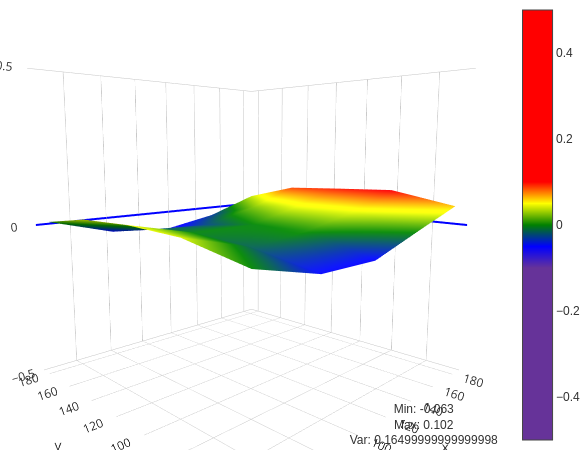
That’s what my bed looks like, according to Bed Visualizer plugin in OctoPrint.