That’s my problem with blobs and leveling. I just messed with both Z rods, but it still might not be right. The left one seems to be sticking up more. Running auto leveling to see what bed looks like, with an offset of 0 for now.
Hmm, might be better somehow.
The Z offset might be the same. Didn’t change leveling, just messed with Z rods.
The Z rods are moving smooth. Not sure the grub screws on top should be super tight, at least one of them. It stops and squeaks if it’s too tight.
Looks better. But I don’t remember what the mesh before looked like @ -1.88.
If the grub screws on the thing that goes on the motor that moves Z up and down, isn’t tight, it won’t go up. Only moves one way apparently. And my printer is in an enclosure, making this job harder.
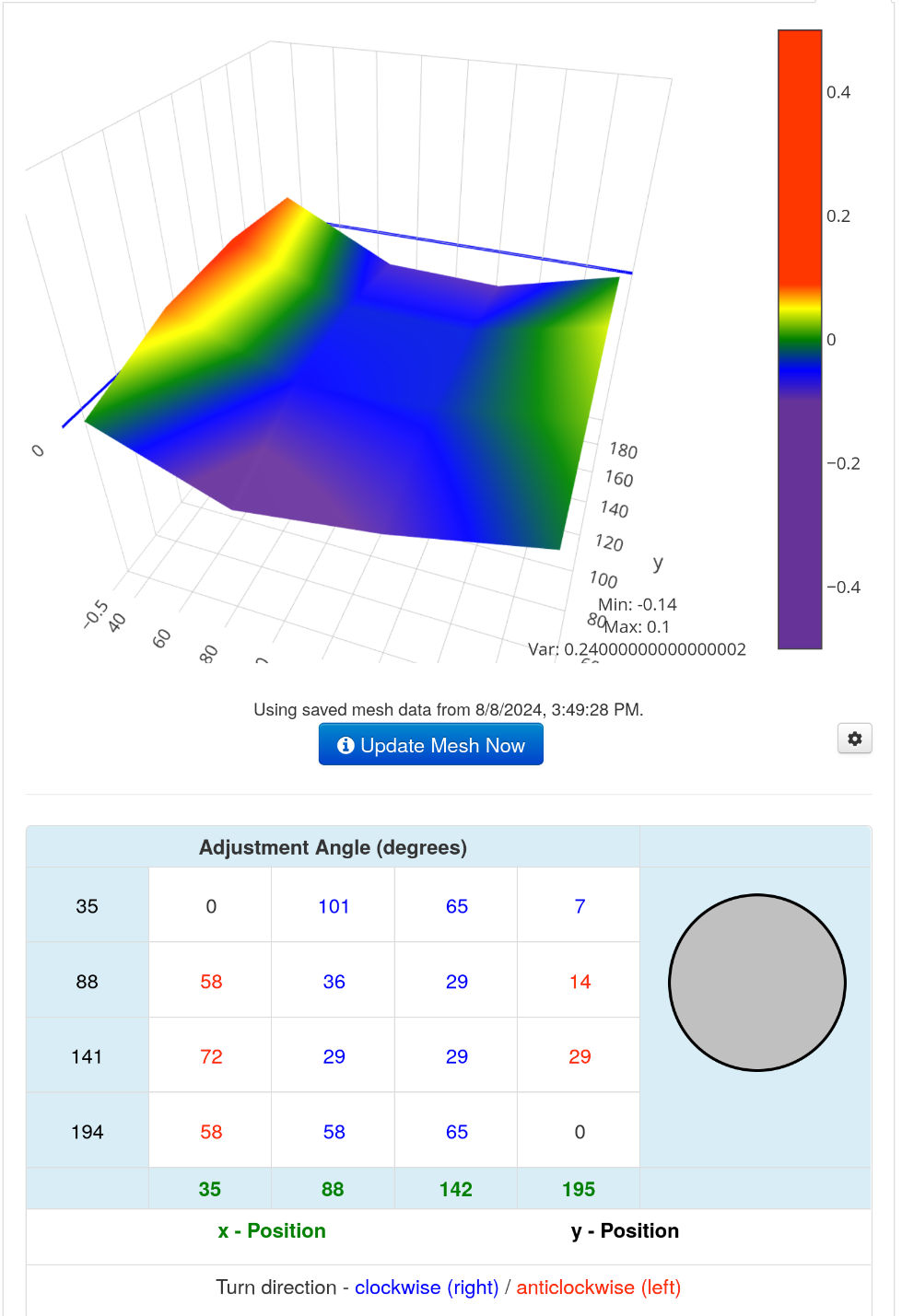
Well, that’s as good as I can get it. Maybe it’s supposed to stick up a little while moving. I just spent hours trying to get it to be able to go to 250mm without trying to go past it, then not able to go back down, because only one side was moving.
Time to do another bed leveling and check offset yet again.
I replaced the other block on the top, as the bearing was coming up easily. And the screw is probably stripped or something. The new ones are the right tightness. So two new blocks on the top too now. I had to remove the left Z rod to do it.
It goes up and down smooth. Didn’t check if the X is level. I’ll find out soon enough.
Super annoying when it tries going up higher then it can. The left Z rod won’t go down any farther.
Last print it wasn’t close enough. Before I messed with Z rods more.
Damn, might need to run AutoBim again.
The var is 0.75 now, not very good. Might have to loosen the knobs, but I like doing it the long way, that can take 2+ hours.
Hmm, build plate might have moved slightly.
If you aren’t mechanically insane, you probably should pass on a dual Z upgrade. I’m insane, but not mechanically insane.
Var is 0.23 now, much better. Also fixed the build plate. AutoBim is great, even with low accuracy.
Almost ready to print Z calibration again. The offset could be a tad too close. Depends if the Z is good now, and maybe if X is level. It’s annoying having to stop a print because of gaps.
Good news, not close enough, should have checked again. Could tell on skirt, didn’t need to print long.
Terminal in OctoPrint said 228 or so, for a second for the nozzle, when it was 250C or close to it before. Might need a PID tuning, or the AC was on. Had to open it to remove the seamen.
Damn, still not close enough. Waiting for nozzle to cool down completely before doing anything this time. Bed hot, and nozzle cold, is how I do it.
Those Z blocks are hard to secure all the way. It kept moving a little up and down. Then figured out, you have to use a lot of force to move the screw a little more.
No wonder I didn’t want to swap out the left Z rod block, a little more work then the right one. Especially in an enclosure, the couple thing, is a pain to tighten.
Current bed mesh:
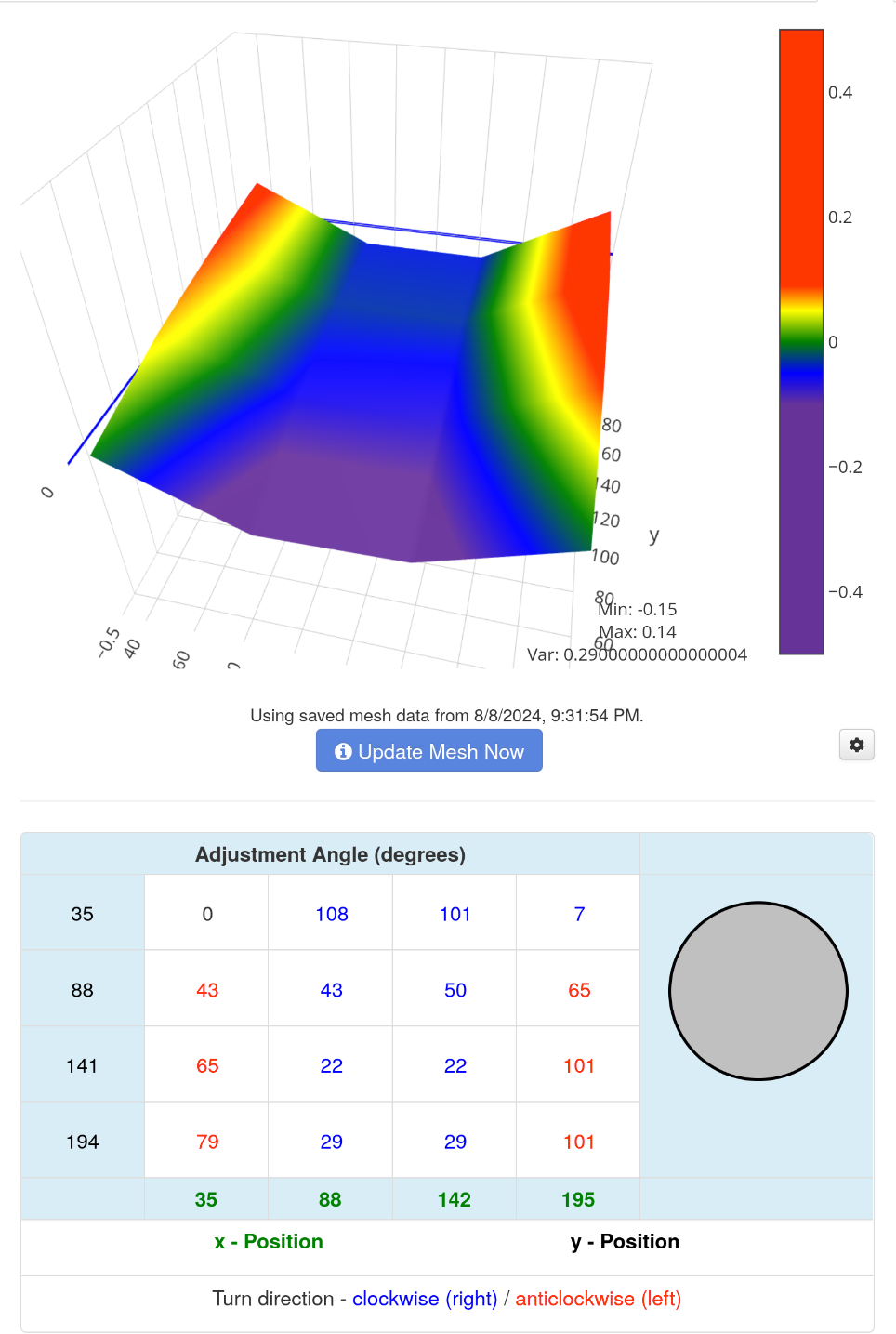
Close enough so far, but it’s probably going to be -2.18 again. So probably one more print after this.
You can always blame OrcaSlicer, might have been working fine before switching to it. Then problems happened.